Prince William County Public Schools
Notification of Checked Out Library Materials
Prince William County Public Schools' library management system sends parents/guardians daily notifications of student-selected library materials checked out, renewed, or returned by their student that day.
These emails are automatically sent to the primary parent/guardian email address (in ParentVUE), ensuring families stay informed about their student's reading activities. This feature is activated for all students at the division level and cannot be modified at the school level.
School Library Controls for Parents
Prince William County Public Schools contracts with Follett School Solutions to manage our library resources. Follett provides a way for parents and guardians to:
- View the school library books checked out by their student.
- View the school library borrowing history for their student.
- Designate specific student-selected library materials they wish to restrict access for their student(s).
How to Log In
To access any of the school library controls for parents, follow the instructions below to log in.
- Visit the Additional User Type login webpage.
- The Additional User Type account connects to the primary parent/guardian email address (which is the email address for the first emergency contact, as designated by parents/guardians in the Annual Back to School Packet).
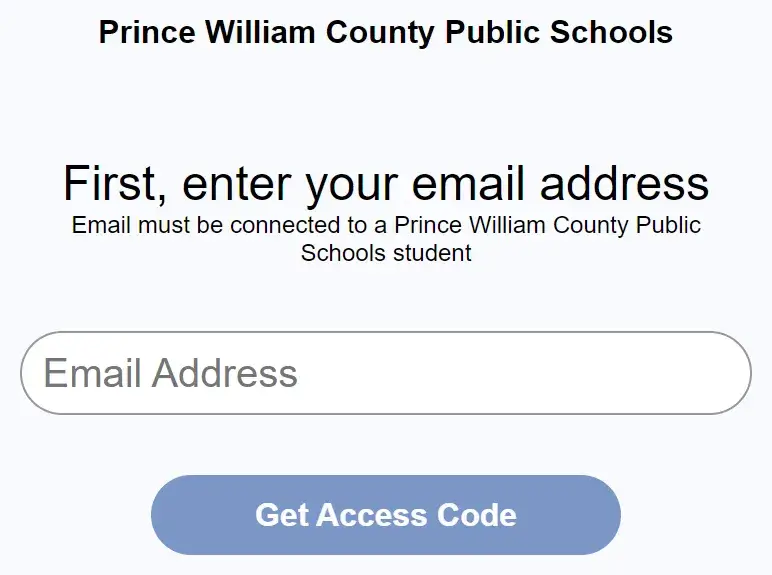
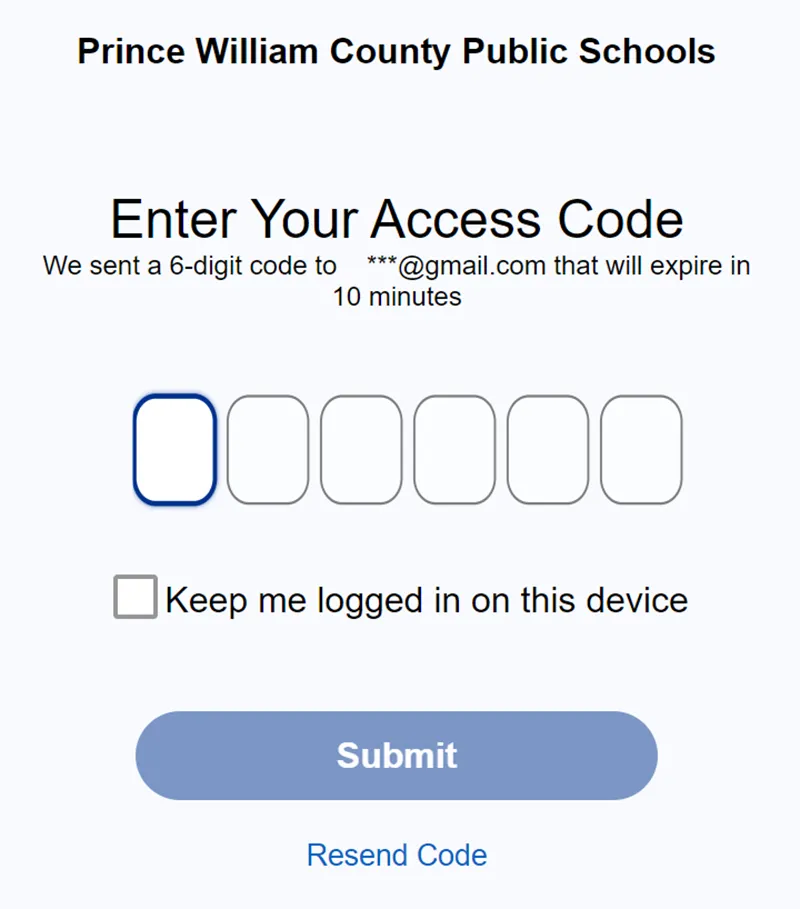
- Each time you log in, a six-digit code that serves as a one-time password is sent to the primary parent/guardian email address. The code expires after 10 minutes.
Viewing Books Checkout
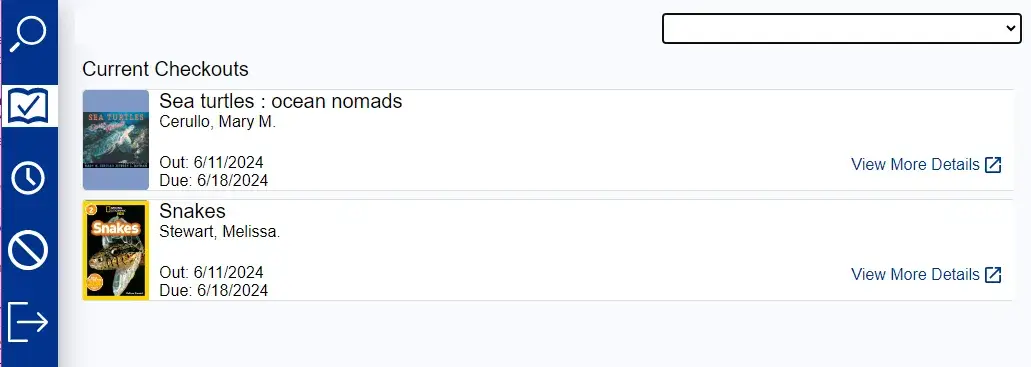
If you wish to view the student-selected library materials currently checked out by your student, please follow the directions below.
- After entering the code and logging in, select the icon with the outline of a book with a check mark inside.
Viewing Borrowing History
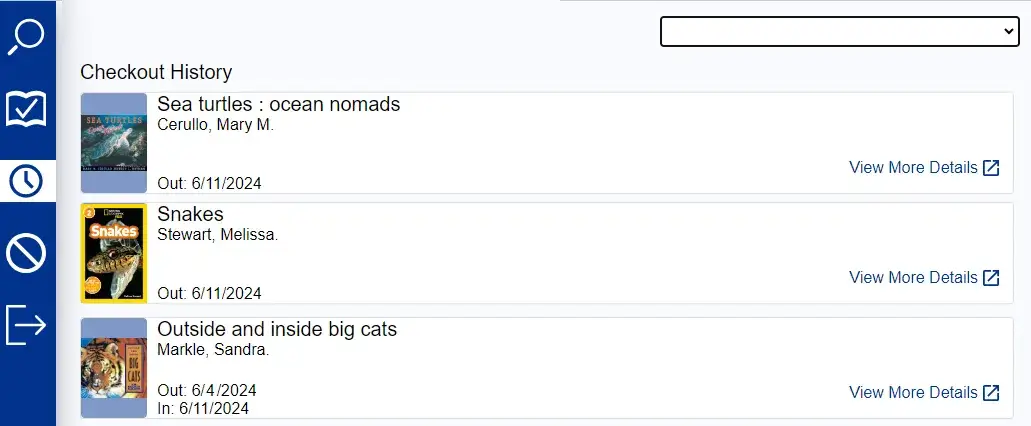
If you wish to view the borrowing history for student-selected library materials for your student, please follow the directions below.
- After entering the code and logging in, select the icon with the outline of a clock.
Restricting Access to Library Materials
If you wish to designate restrictions on student-selected library materials for your students, please follow the directions below.
- After entering the code and logging in, a search box appears, allowing you to search the school's library catalog.
- Once you've identified a library material that you would like to add a restriction, click the triple dot icon and then click the "Do Not Check Out" button to add the restriction.
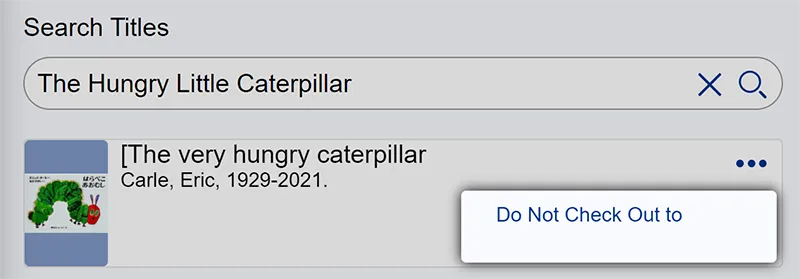
Parents/guardians can designate the titles they wish to restrict access to for their student(s).
- Restrictions will remain for the student until the parent/guardian updates the account.
- Restrictions will apply to all formats of the restricted material circulated within the library.
- Restrictions must be identified by the parent/guardian and applied individually to each student.
- If parents/guardians would like to restrict titles for more than one student, they need to restrict the items in each student's account.
- Parents/guardians can toggle between student accounts in the top right of the Additional User Account.
- The restriction will follow the student indefinitely until the primary parent/guardian removes the "Do Not Check Out" designation in the Additional User Type account. Restrictions will follow the student if they change schools in PWCS.
- Librarians, administrators, and other school staff do not have the ability to change the restrictions made by parents/guardians.
- Please see Regulation 653-2 for information regarding the parent's/guardian's responsibility for communicating restrictions on student-selected, choice instructional material.
Please note: Restriction of library materials using the "Additional User Type" is a parent's responsibility. Librarians and school administrators can provide the link, but cannot provide additional support.
Additional User Type Account Support
Please contact Follett School Solutions with questions or for support.
Sora Digital Library Controls
PWCS uses Sora as a digital reading platform to provide students with access to e-books and audiobooks. Students sign in with their PWCS account to borrow and read digital materials.
Parents who wish to review or manage the types of content their student can access in Sora can use the parental controls provided by Sora.